WooCommerce Email Preview Error: The Simple Fix for Devs and Agencies 🛠️
November 13, 2025
Anne Allen
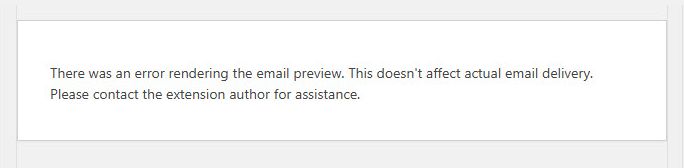
If you’re a developer, agency, or site owner managing a WooCommerce site, you’ve likely run into the frustrating WooCommerce Email Preview Error when attempting to preview an email template in the admin area:
“There was an error rendering the email preview. This doesn’t affect actual email delivery. Please contact the extension author for assistance.”
When you know the issue is in your custom theme or plugin code, debugging can be a headache. The good news? The root cause is almost always a predictable missing data object—and the fix is a simple, robust check.
The Cause: Dummy Data Meets Custom Code
The failure occurs specifically because the WooCommerce email preview system uses placeholder or dummy data instead of retrieving a real order from the database.
The Conflict
When you hook into an email action (like woocommerce_email_before_order_table) to add custom content, your code typically expects a valid Order Object to exist so it can pull in details like the customer’s ID, membership status, or order totals.
The moment the preview function runs, it passes a fake Order ID. When your code tries to convert that fake ID into a usable object:
wc_get_order( $order_id ) returns false or null.
Your code attempts to call a method (like get_user_id()) on that null variable.
Fatal Error: PHP throws an immediate Fatal error: Call to a member function get_user_id() on null, which is the crash masked by WooCommerce’s generic error message.
The Solution: A Robust Data Check
The fix is a simple data validation check that ensures your custom code only executes if a valid WC_Order object is available. This allows your code to run successfully for real emails but safely skip the problematic section during a preview.
The Code Implementation
Here is an example of a custom function (named ns_add_content_specific_email in our example) that has been secured using this check.
Before (The Crash Risk):
PHP
function ns_add_content_specific_email( $order, $sent_to_admin, $plain_text, $email ) {
    $nsorder = wc_get_order( $order );
    $ns_user_id = $nsorder->get_user_id(); // THIS FAILS on preview
    // ... custom logic ...
}
After (The Secure Fix):
PHP
function ns_add_content_specific_email( $order, $sent_to_admin, $plain_text, $email ) {

    $nsorder = wc_get_order( $order );

    // CRITICAL FIX: Ensure $nsorder is a valid WC_Order object before using it.
    if ( $nsorder && is_a( $nsorder, 'WC_Order' ) ) {

        // It is now safe to run all custom logic that relies on the order object.
        $ns_user_id = $nsorder->get_user_id();

        /* All your custom content/checks go safely inside this block. */
        if ( $email->id == 'customer_completed_order' ) {
            ns_showmembership_info($ns_user_id);
        }
    }
    // If the object is invalid (null in preview mode), the function safely exits here.
}
By wrapping your data-dependent custom logic inside this simple if condition, you ensure your email preview always renders correctly while maintaining full functionality for actual customer emails.
Need Expert WooCommerce Support?
Dealing with these persistent, low-level conflicts can consume hours of valuable development time. If you need a team that specializes in diagnosing and resolving tricky WooCommerce bugs, performance issues, or complex theme/plugin integrations:
Need Expert WordPress Help Now?: Our team is ready to step in and provide rapid, effective solutions for any WordPress challenge. Contact us for expert help today.
About the author
Hi, I’m Anne Allen. I’ve spent the last 15 years living and breathing WordPress. I’m passionate about helping business owners demystify their websites—whether that means keeping your site secure with proper maintenance, setting up complex Gravity Forms, or ensuring your content is accessible through ADA compliance. Let’s make your site work for you.